

MathWallet Quick Start Guide
What Is MathWallet?
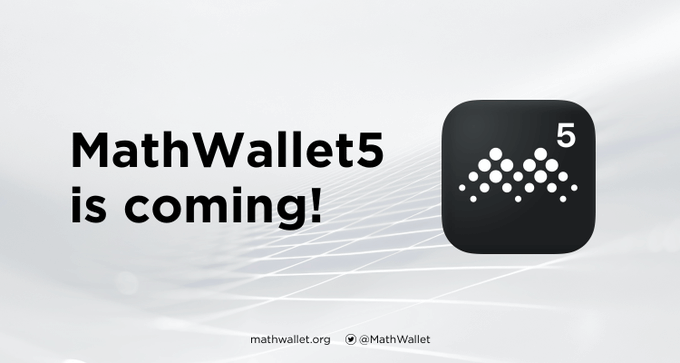
For those just getting started with crypto asset wallets, MathWallet—a multi-chain wallet—offers a platform-level solution available on mobile, desktop, and hardware devices. It supports over 150 blockchains, including BTC, ETH, and Polkadot. Positioned as a “one-stop Web3 gateway,” MathWallet is designed to help newcomers easily manage assets across multiple chains.
Latest Developments: Plasma Mainnet Support & Token Burn
MathWallet recently rolled out two noteworthy updates:
- On September 28, 2025, MathWallet officially announced support for the Plasma Mainnet. Users can now seamlessly switch, create, or import wallets through the MathWallet app and participate in dApp and cross-chain activities on the Plasma network.
- According to its Q2/Q3 financial reports, MathWallet executed a buy-back and burn of 20% of project revenue as outlined in the whitepaper. In Q2, a total of 118,521 MATH tokens were burned.
These updates signify further multi-chain expansion and broader use cases, while the token supply reduction may help promote long-term ecosystem stability. For newcomers, understanding these developments provides insight into the wallet’s underlying growth strategy.
Getting Started: Three Essential Steps—Registration, Backup, Network Switching
- Register/Install: Download the latest version from MathWallet.org through your device’s app store or on desktop.
Once installed, choose “Create Wallet” or “Import Wallet.” New users are strongly encouraged to create a new wallet and securely record the mnemonic phrase.
- Backup Mnemonic/Key: After wallet creation, the app will prompt you to note your mnemonic phrase (typically 12 or 24 words). Always back this up offline—on paper or a metal plate. Never upload photos to the cloud or share them with others.
This is your first line of defense for asset security.
- Switch Networks/Add Supported Chains: For example, to access the Plasma Mainnet, go to the app’s network/wallet switcher and select Plasma. MathWallet’s recent support for this mainnet expands the range of available features.
You can also use the sidebar to switch between ETH, BNB Chain, Solana, and more. This functionality lets newcomers explore the broader multi-chain ecosystem.
Feature Overview: Asset Management, Cross-Chain Transfers, dApp Browser
- Asset Management: In MathWallet, select “Assets” on the left to view token balances and transaction history across all supported chains.
- Cross-Chain Transactions/Transfers: Transfer or bridge assets between chains, making it easier for beginners to consolidate holdings.
- dApp Store: MathWallet’s built-in dApp browser and store enable direct access to DeFi, NFT marketplaces, and gaming dApps. The dApp ecosystem is continuously expanding.
Having all these features in a single wallet streamlines the experience for beginners, eliminating the hassle of installing and juggling multiple wallets.
Tips and Risk Warnings
- Tip 1: Start with small amounts to get acquainted with various chains, transfer fees, and the user interface.
- Tip 2: Activate in-app security features such as device lock, fingerprint authentication, and transaction password confirmation.
- Risk Warning: While MathWallet offers multi-chain support, you must understand the fee structures and transaction mechanisms of each chain. If your mnemonic phrase is compromised, asset recovery is impossible—always back it up securely. Crypto assets are inherently risky: although MathWallet is secure, operational mistakes or cyberattacks may still result in losses. This article is for informational purposes only and does not constitute investment advice.
Summary
For crypto beginners, choosing a full-featured, multi-chain, and fast-evolving wallet like MathWallet is an excellent way to enter the Web3 ecosystem. By understanding its core functions, mastering registration, backup, and network switching, and following safety best practices, you can start using MathWallet with greater confidence and security. Remember: prioritize safety, take your time, and start with small transactions. We hope you find it easy to get started with MathWallet in the multi-chain era.
Related Articles
2026 Stablecoin Classification Deep Dive: From Fiat-Collateralized to Algorithmic Stablecoins, Market Landscape and Future Trends
What Are Fractional NFTs? Understanding the Mechanics of NFT Fractionalization and Its Real-World Use Cases
Top Telegram Games to Watch in 2026: The New Web3 Gaming Frontier and Investment Strategies
The Next 100x Coin? Low-Cap Crypto Gem Analysis
What Is Jupiter? A Complete Guide to Solana’s Leading Decentralized Exchange Aggregator
